
TruHub Business OS
Choose the business software you need. Create your workspace. No sign-in, no payments. Organise contacts, tasks and business records with industry-configured beta tools, saved on this browser only.
Inside a browser workspace
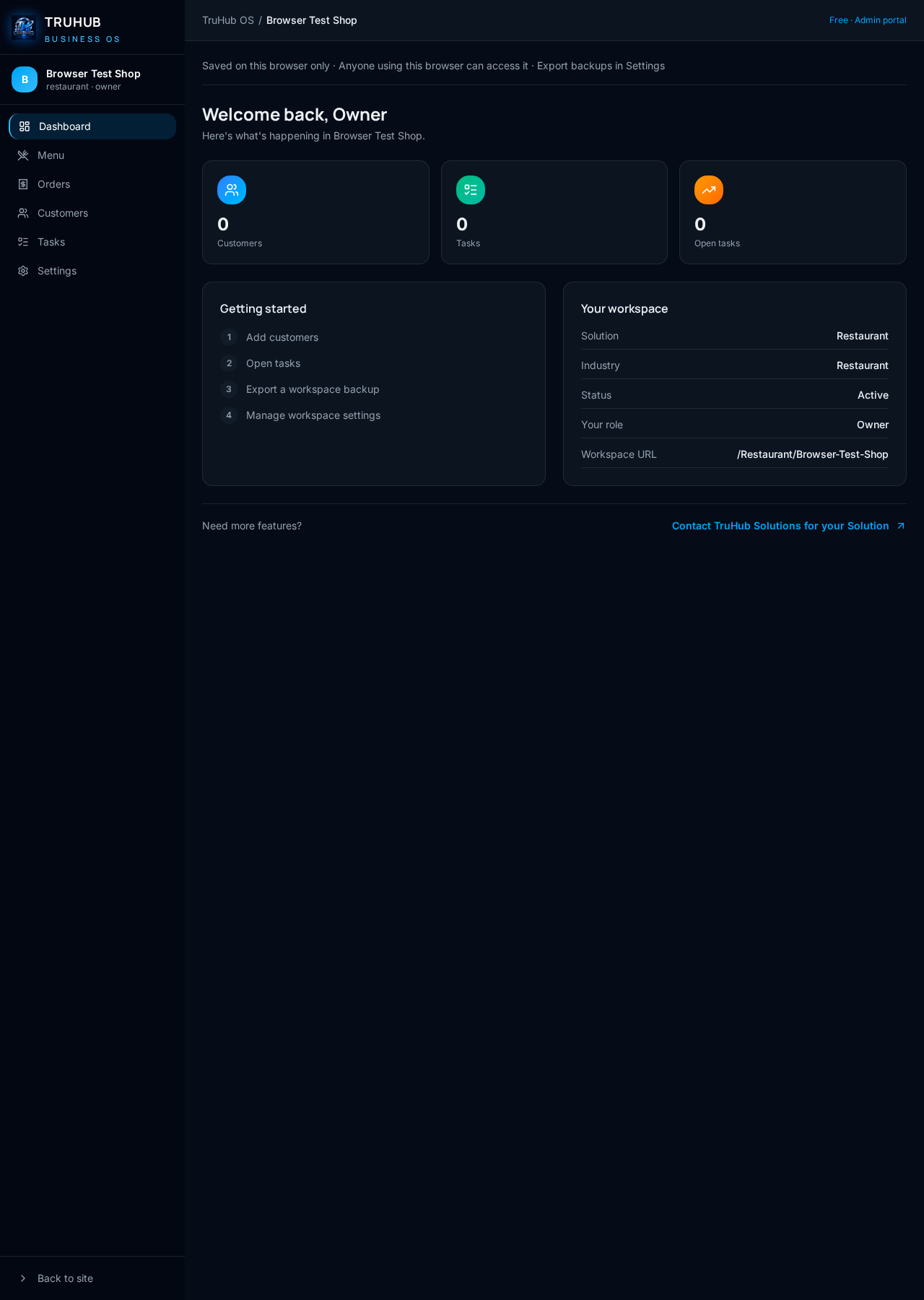
Actual Restaurant OS beta screen from a verification workspace, not customer data.
Find your solution
20 industry-specific operating systems. Pick the one built for how you work.
CRM OS
BetaCRM OS · Configurable shared business tools
ERP OS
BetaERP OS · Configurable shared business tools
Restaurant OS
BetaRestaurant OS · Configurable shared business tools
Retail & POS OS
BetaRetail & POS OS · Configurable shared business tools
Inventory & Warehouse OS
BetaInventory & Warehouse OS · Configurable shared business tools
Optical OS
BetaOptical OS · Configurable shared business tools
Clinic & Healthcare OS
BetaClinic & Healthcare OS · Configurable shared business tools
Gym & Fitness OS
BetaGym & Fitness OS · Configurable shared business tools
The platform
A shared foundation, configured for your industry
We don't build 20 disconnected apps. We build one operating system and configure it for how each business actually runs.
One platform, every business
Pick from 20 industry solutions. Each gets separate browser records and configured shared tools.
Your browser, your records
New workspace records stay on this browser and device. Anyone using the same browser profile can access them; they are not public sharing links.
No account required
Create workspaces without registering. Publish a customer outlet and share its inbox through private links; internal business records stay on this browser.
Shared modules, configured per industry
Contacts, tasks, pipelines, menu and order records, depending on your solution. Specialist industry features are not included in this beta.
From choosing to working — no account needed
Three steps. No code. No setup headaches.
Choose your solution
Browse 20 industry OS options and pick the one built for your business.
Create your workspace
Name your business and choose a slug. Your workspace is saved on this browser only.
Save a backup
Work with your records, then export from Settings. Restore your export if browser data is cleared.
Every solution. Completely free.
No subscriptions or trial expiry. Browser capacity applies; export backups regularly.
Common questions
Do I need an account?
No. New workspaces open and save on this browser without registration. Existing hosted records remain protected.
Can I open it on another device?
Not automatically. Export a backup from Settings and restore it on the other browser through Create Workspace.
What happens if I clear browser data?
Browser-only workspaces are deleted. Recovery requires an export you saved beforehand; there are no automatic backups.
Can I share access with customers or staff?
Yes. Publish a customer outlet and give trusted people its private shared inbox link, without accounts. Internal browser workspace records are not shared.
Ready to run your business on one platform?
Create your free workspace today. No credit card. No setup fees. Just your business, organised.
Need more features?
Contact TruHub Solutions for your Solution